

OPERATING GUIDE / FITNESS CHAINS
A Consistent Screening Workflow for Multi-location Gyms
A practical framework for fitness operators: align guided capture, report conversations, team handovers and pilot reviews across your gym locations.
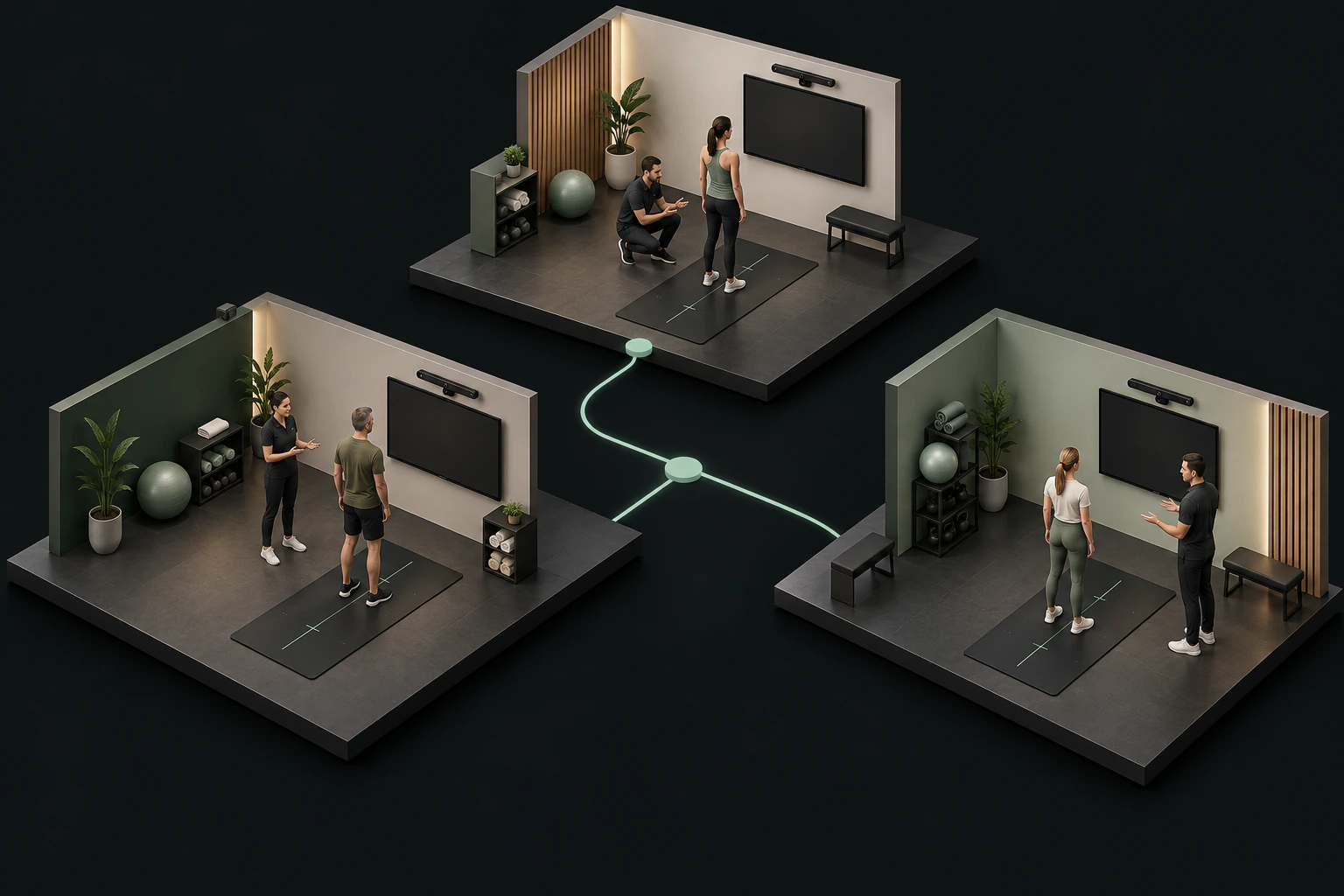
A screening service becomes harder to repeat when every location develops its own introduction, capture routine and report conversation. One team may lead with a member's goals; another may start with the equipment. Both can complete a session while creating different expectations about what the results mean.
For a fitness chain, a useful starting point is a shared service sequence: understand the member's purpose, guide the capture, check the available evidence, explain the report and agree on a follow-up. This guide proposes an operating framework for that sequence. A single-location gym can use the same framework without adding a head-office process.
1. Define the service before choosing the station
Write one short description that every participating location can use. State who the session is for, what the coach will do and what the member will take away. For example: a guided introduction to posture and supported movement observations, followed by a conversation about the member's training goals.
Keep the promise within the service your team can deliver. Do not present a screening report as a diagnosis, an injury prediction or a guaranteed training outcome. Coaches retain responsibility for interpreting observations within their role and the context of the session.
Choose an initial use case, such as member onboarding or a scheduled progress conversation. Mixing an open-day demonstration with a detailed coaching appointment makes it difficult to evaluate staffing, timing and member expectations. Start with one format, record how it works and expand deliberately.
2. Give each step an owner
A repeatable workflow needs clear responsibilities as well as equipment. Name a pilot owner who maintains the shared checklist, a location lead who checks station readiness and a coach who guides each member through the session. In a small gym, one person may hold all three responsibilities.
Agree on the handover: who confirms the member details, who checks the capture, who explains the report and who records the next action. The checklist should say what happens when a session cannot be completed or a report contains unavailable information.
Use the following sequence as a starting template:
- Confirm the purpose of the appointment and the member's goals.
- Complete the agreed intake or questionnaire process.
- Explain the supported capture sequence before beginning.
- Check capture quality and available report evidence.
- Discuss observations in the context of the member's goals.
- Record the agreed next action and any follow-up arrangements.
This is a proposed service routine, not a required duration or a clinical assessment protocol.
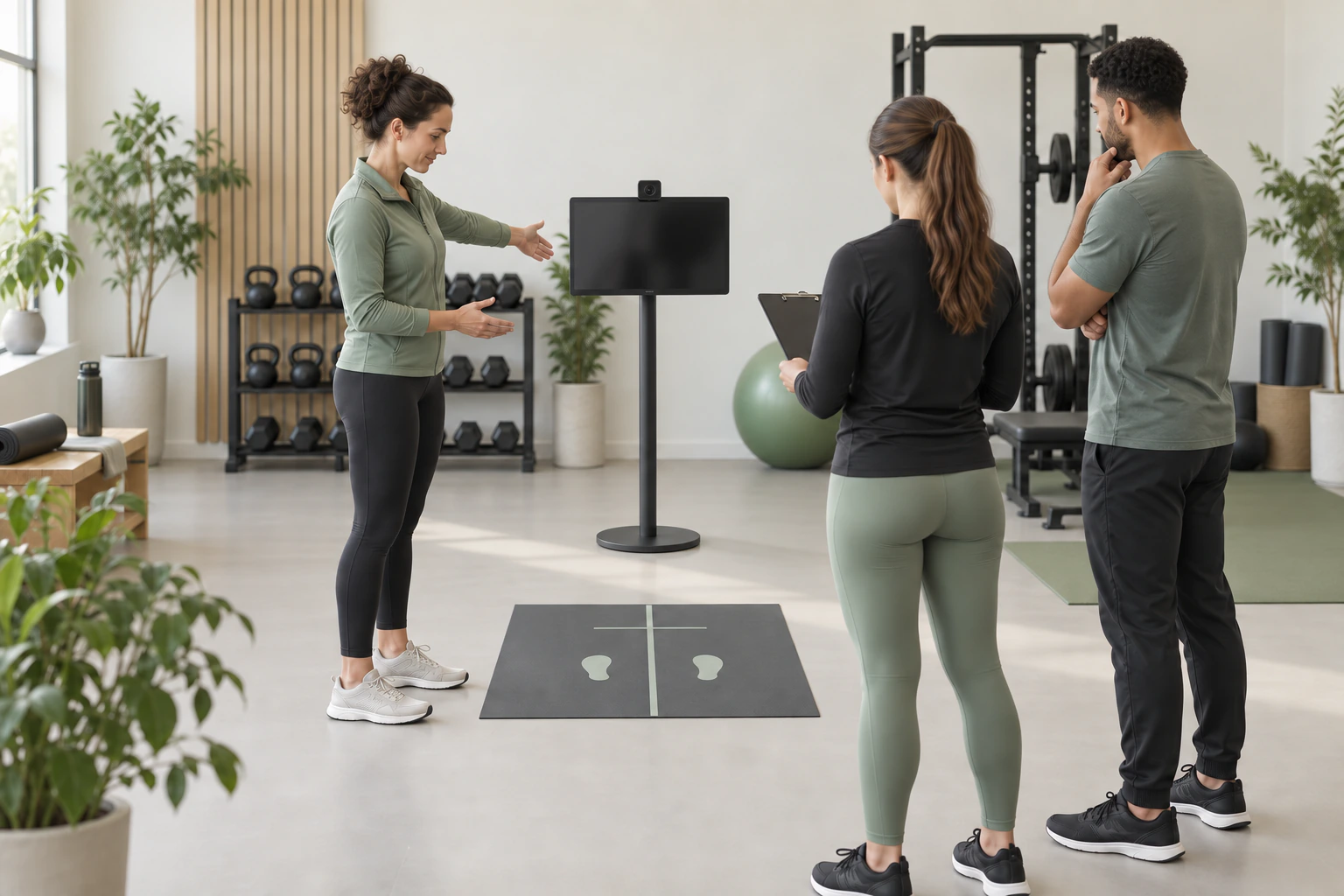 Practise the same capture cues and station checks with your team. Illustrative training scenario.
3. Prepare for consistent capture
Test the planned computer, compatible camera and display in the actual space. Check framing, lighting, the member's movement area and the position from which the coach gives instructions. Avoid treating an attractive demonstration layout as a specification that will fit every site.
Crosspoint's public equipment illustrations show a possible arrangement. They do not guarantee a minimum floor area or compatibility with every camera. Confirm the relevant setup and calibration with the product team during evaluation.
Write down the agreed preparation and capture cues. When you change a camera position or replace equipment, repeat the readiness check. For a chain, note local differences so a difficult capture can be investigated without assuming the coach or member caused it.
Include a simple exception path: pause, explain the issue, repeat the supported step when appropriate, or record why the session was not completed. A missing result should remain visibly missing.
4. Use the report as evidence for a conversation
Crosspoint X's demonstrated workflow includes guided static posture capture, supported dynamic assessment, visual reports and saved report records. The current dynamic demonstration centres on the overhead squat. It should not be read as a promise that every exercise or movement is supported. The platform overview provides a starting point for your product questions.
For method background, NASM's overhead squat guide describes structured observation from different views and distinguishes movement screening from medical diagnosis. This reference explains the assessment context; it does not establish Crosspoint certification, a partnership or validation of the product's measurements.
During a report conversation, start with the captured view and the available observation. Then explain how it relates to the member's stated goal and what additional context the coach needs. Keep the observation, the coach's interpretation and the agreed next action distinct.
An unavailable measurement is not a zero score or proof that no issue exists. Train the team to recognise incomplete evidence and explain it plainly. A member should be able to understand what was observed and what the report cannot establish.
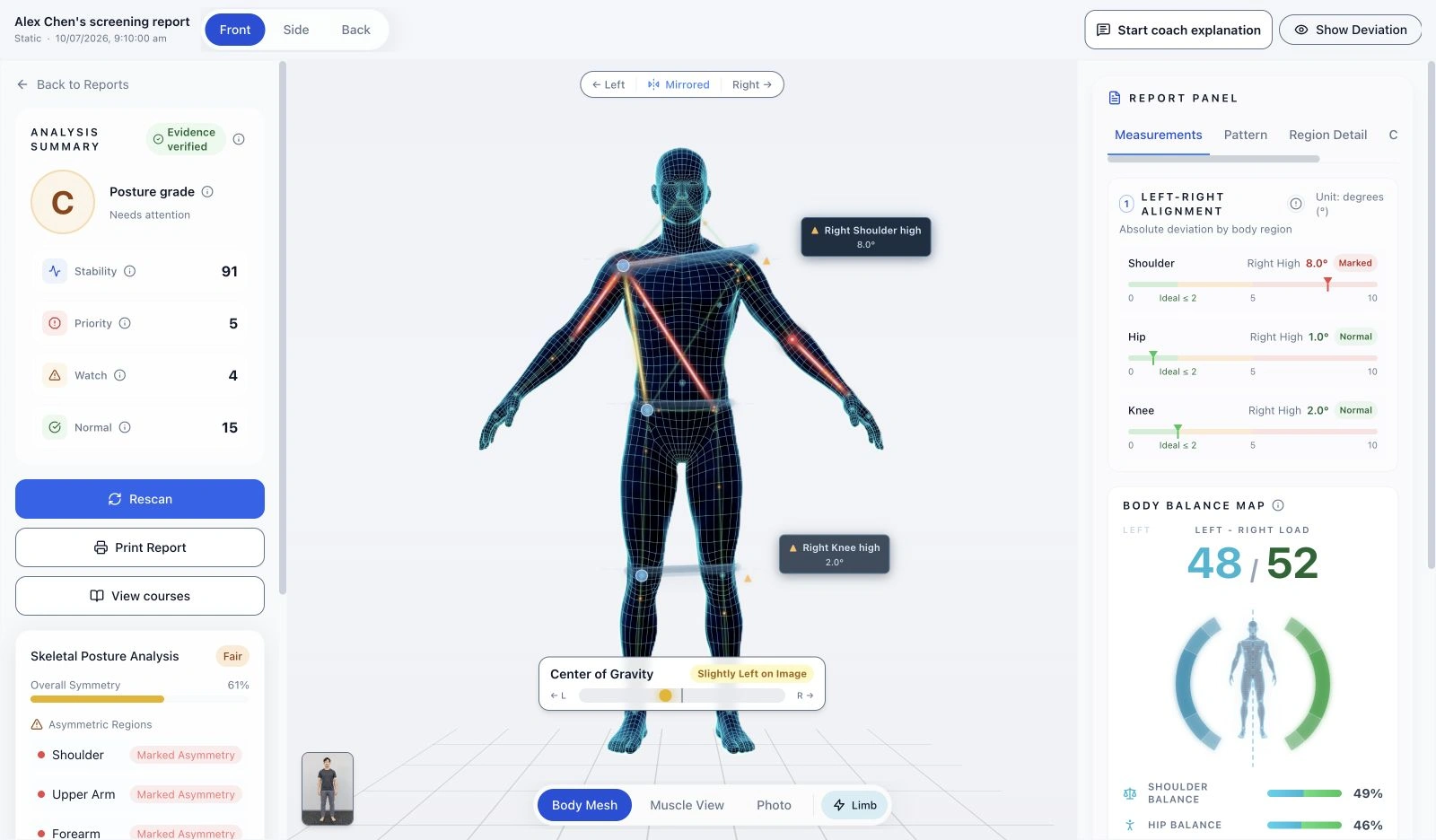 Crosspoint X product interface, using synthetic photographs and demonstration measurements.
5. Practise the explanation and the handover
Use the same sample report in a short team practice session. Ask each coach to explain what is visible, identify any unavailable information and describe how they would close the conversation. Discuss differences in wording before introducing the routine to more locations.
Crosspoint's website report screenshots show actual product components with synthetic demonstration photos and simulated measurements. They are useful for exploring the interface, but they are not member results, testimonials or evidence of a training outcome.
If AI-assisted explanation is part of your evaluation, confirm its availability and behaviour in the deployment you will use. Do not assume every illustrated capability is enabled in every environment. In particular, the current documented explanation preview is page-scoped and does not persist generated or edited text after navigation or refresh.
Agree separately on where your team records follow-up decisions. The public interactive demonstration does not capture a member, generate a real assessment or save a report.
6. Review the pilot before expanding
Select pilot locations that let you observe the conditions you expect elsewhere: different layouts, team experience or member-service routines. Set a review point and define which operational questions the pilot should answer.
Keep the first review practical:
- Can coaches follow the same introduction and capture checklist?
- Which setup conditions lead to repeated or incomplete captures?
- Can members explain the purpose of the report in their own words?
- Does the team understand unavailable results and the exception path?
- Is enough time allocated for preparation, screening, explanation and turnover?
- Can another coach understand the recorded next action?
Record actual session timings locally rather than adopting a fixed completion claim. Separate technical problems from unclear instructions or scheduling constraints. A pilot can reveal changes the team needs; it does not, by itself, establish an increase in sales, retention or health outcomes.
Share your operating questions with the product team
Before evaluating a wider rollout, prepare your number of locations, proposed pilot size, service format, available equipment and the roles involved. Single-location operators can bring the same information for one venue.
Ask the product team to walk through capture, report interpretation, incomplete results and saved-record behaviour. Confirm any requirements for access across locations explicitly; a shared service checklist does not imply a central analytics dashboard or a particular head-office permission model.
A useful product conversation helps clarify the evaluation scope and the items to verify in your environment. Learn about the product by sharing your questions and venue needs with our team, or explore the fitness-chain introduction first.
Sources
Bring the workflow into a product conversation.
Explore the screening and report views with your venue’s process in mind.
Get the full product overview